Key takeaways 5 POINTS⌄
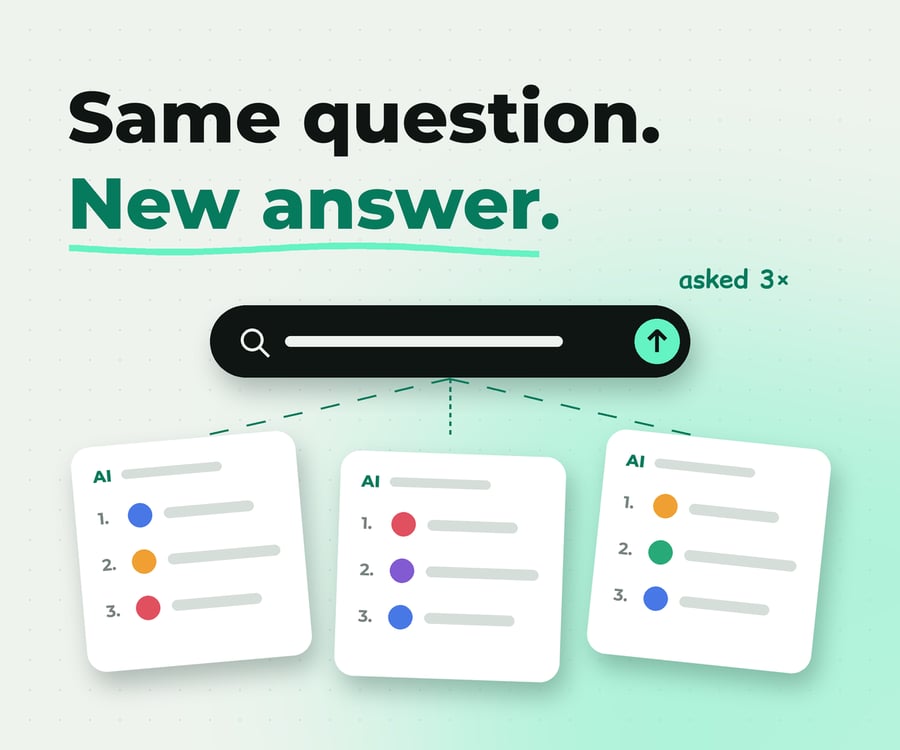
- One AI answer is a snapshot. To see a pattern, you need a short list of questions you can ask again in exactly the same words.
- Build each question from something a real customer said, and keep their original words and where you found them.
- Only add details the customer gave you. Mark anything an AI tool suggests as "not yet checked".
- Fix the wording before you collect answers, so later checks are comparable.
- Keep questions that name your company in a separate list. They check accuracy, not visibility.
In our last post, we ran a simple test. We typed one question a customer might ask into an AI tool, left our company name out, and checked two things: did the answer mention us, and did it describe our services correctly? We ended with a warning: one answer is only a snapshot. Ask the same question tomorrow, and you may get a different answer.
This post is about what to do next. If you want to know how AI tools talk about your business over time, one test isn’t enough. You need to ask the same questions regularly and compare the answers. And for that, you first need a short, saved list of questions: questions you can explain, and ask again in exactly the same words.
So which questions should go on that list? Below, we build one step by step, using a single example business from start to finish.
Why one question isn’t enough
AI tools rarely give the same answer twice. Researchers at SparkToro and Gumshoe.ai tested this at scale: around 600 volunteers ran the same 12 recommendation prompts nearly 3,000 times across ChatGPT, Claude, and Google’s AI. The chance of getting the same list of brands twice was under 1 in 100. The chance of getting the same list in the same order was closer to 1 in 1,000.
That sounds chaotic, but the study also found a pattern. When people asked about the same need, some brands kept coming back, even though their position in the list kept changing. For headphones, for example, brands like Bose, Sony, Apple and Sennheiser appeared most often. In some categories, the leading names appeared in 60% to 90% of answers for the same need.
So asking “What position are we in?” leads nowhere, because the position changes every time. The more useful question is: “Out of all the times customers ask about this need, how often are we mentioned?” If you ask a question ten times and your company appears in seven of the answers, that’s 70%. Next month, you can ask again and see whether that number goes up or down.
There’s one condition: the question has to stay the same every time. If the wording changes, you’re no longer comparing like with like. That’s why you need a fixed list of questions before you start.
Start with a real customer and a real problem
Let’s use a new example. Imagine a company that sells booking software. We’ll call it BookCo. One day, the manager of a pottery studio contacts BookCo’s sales team and asks: “Can customers book a place in a class and pay a deposit?”
If BookCo described what it sells, it would probably say “booking software”. But the studio manager doesn’t think in those terms. They don’t wake up thinking, “I need booking software.” They think, “I need my students to reserve a spot in a class and pay a deposit, so people stop booking and not turning up.” The manager has a decision to make: which tool can do that?
That’s the right starting point for your list: a real person, a real problem, and a decision they need to make. It also matches how people actually use AI. In OpenAI’s study of how people use ChatGPT, about half of all messages (49%) were people asking for information or advice, using it more like an advisor than a tool for finishing tasks. People bring their problems to AI in their own words, so your questions should start from those words too.
For every question, write down two things
For each entry in your list, BookCo writes down two separate sentences.
1. What the customer actually said. BookCo copies the studio manager’s exact words from the sales notes: “Can customers book a place in a class and pay a deposit?” This is your evidence. It shows that a real person had this need, and it lets you explain later why the question is on your list.
2. The question you will type into the AI tool. BookCo then rewrites the customer’s words as a request for recommendations, the way someone looking for a solution would ask it: “Which booking tools let customers reserve a place in a pottery class and pay a deposit?”
Notice what’s missing from the second sentence: BookCo’s name. That’s on purpose. If you ask “Can BookCo take deposits?”, the AI will talk about BookCo simply because you mentioned it. You learn nothing about whether it would recommend BookCo to someone who has never heard of the company. Leaving the name out is what makes this a real test.
Keeping both questions side by side also stops your list from drifting away from reality. Whenever you look at a question, you can see the customer’s original words right next to it.
For your own business, use a sales conversation or support request you’re allowed to use. Save the original wording, the date, and a reference to where it came from, such as the ticket number. Keep names and other personal details out of anything you share publicly.
Not sure where to start?
We’ll show you how AI sees you.
Share the questions your customers usually ask. We’ll check how AI tools answer them, whether your company shows up, and whether your services are described correctly. Then we’ll show you what to change on your website.
support@freelopers.com →Only add details the customer actually gave you
A question like “Which booking tool is best?” leaves the AI guessing. Best for whom? The cheapest? The simplest? Best for a gym, a hair salon, or a pottery studio? The answer will be just as vague as the question, and it won’t tell you anything about what your real customers need.
So add the details the customer gave you. The studio manager runs a pottery studio and wants deposits, so both belong in the question.
But don’t fill in details you’re only assuming. We don’t know the manager’s budget, which currency they use, or whether students need to move their bookings. If we added those anyway, we’d be testing a question no customer ever asked. And the answers could lead us to fix things on our website that nobody cares about.
The manager comes back and says, “Our students also need to switch to another class.” Add that as a new question in your list. Keep the original one too. Over time, your list then shows how your customers’ needs develop, instead of overwriting them.
Treat AI’s question ideas as suggestions, not evidence
AI tools are good at suggesting more questions. Ask one for ideas, and it might come back with: “Which booking tools let pottery customers pay a deposit in euros?”
That might be a useful question. But our studio manager never mentioned euros. The AI made that detail up because it sounded likely. So don’t add it straight to your list. Mark it as “AI suggestion, not yet checked”, and only move it into the list once a customer or a record confirms it.
The same caution applies to real customer questions. If one customer asks something, you know that one person needed it. You don’t yet know how many other people ask AI the same thing. One question is a signal, not a statistic.
Lock the wording before you start collecting answers
Here’s why the exact wording matters so much. Imagine BookCo asks “Which booking tools let customers pay a deposit for a class?” in the first week, then switches to “What’s the best software for class deposits?” in the second week. In week two, BookCo suddenly appears in the answer. Good news? Maybe. But BookCo can’t tell whether the AI tool changed its view, or whether the new wording simply produced a different answer.
It’s like checking your weight on a different scale every week: when the number changes, you don’t know whether you changed or the scale did. So decide on your questions first, then start asking, and keep the wording the same from then on.
For each question, save the exact wording and one sentence explaining why it’s on the list. For example: “We want to see which tools AI suggests to studios that need to take class deposits.”
While you’re at it, check whether your own website answers each question. If it doesn’t, note that gap, but keep the question on the list. Don’t drop it because the result might be uncomfortable. These gaps are often the most useful thing your list shows you, because they tell you exactly what to add to your website. Google’s guidance on helpful, people-first content asks a similar question: would people find your content useful if they came to you directly?
Keep questions that name your company in a separate list
So far, every question has left BookCo’s name out. But there’s a second kind of question worth asking: one that names your company directly, such as “Can BookCo take deposits?”
This kind of question can’t show whether BookCo would be recommended to a stranger, because it hands the AI the name. What it can show is whether the AI describes BookCo correctly: the problem we looked at in our last post. The two kinds of question measure different things:
- Questions without your name answer: “Are we mentioned when customers describe their need?”
- Questions with your name answer: “When AI talks about us, does it get the facts right?”
A real example shows why the second kind matters. The SEO software company Ahrefs recently launched a new feature for tracking custom prompts. Its head of marketing strategy, Glen Allsopp, then checked what ChatGPT said when people asked about it. As he writes in Ahrefs’ own guide, the answers he monitored didn’t confirm that Ahrefs now offered the feature. The AI was still describing the old product.
Ahrefs responded by spreading the word on its own website, on social media, and in articles by others. It updated its help pages and politely asked for wrong statements to be corrected. Later, ChatGPT answered: “Yes — you can use Ahrefs to track your AI visibility with custom prompts.” Without asking a question that named Ahrefs, the team might never have noticed the problem.
A simple template for your question list
Your question list doesn’t need special software. A spreadsheet works fine. Each row is one question you plan to ask AI. The columns help you keep track of three things: what the customer really said, what you will type into the AI tool, and whether the question is ready to use.
Here’s what BookCo’s list looks like after one week of sales calls and support requests:
| What the customer said | Where it came from | What we’ll ask AI | What we changed, and why | Ready to ask? |
|---|---|---|---|---|
| “Can customers book a place in a class and pay a deposit?” | Sales call notes | Which booking tools let customers book a pottery class and pay a deposit? | Added “pottery class”, because the customer runs a pottery studio | Yes |
| “Two people booked the last spot at the same time, and we had to cancel one.” | Support ticket | Which booking tools stop two people from booking the last spot in a class? | Turned the complaint into a question. No details added | Yes |
| “Most of our students book on their phone. Do they need an account?” | Sales call notes | Which booking tools let people book on their phone without creating an account? | Nothing | Yes |
| “People forget their class and don’t show up.” | Customer email | Which booking tools send automatic class reminders? | Nothing yet. We’d like to add “by text message”, but the customer didn’t say that | Not yet. Ask the customer first |
| “Can a student move their booking to another class?” | Sales call notes | Which booking tools let customers move a booking to another class? | Nothing | Yes. Our website doesn’t answer this yet, so we’ll add it there too |
| “Does BookCo have a waiting list for full classes?” | Support chat | Does BookCo offer a waiting list for full classes? | Nothing, but it names BookCo | Yes, in the separate list. It checks whether AI describes us correctly |
How to read it: the first column keeps the customer’s exact words. The third column is the question you’ll type into the AI tool, usually without your company name. The fourth column records every change you made between the two, and why. Look at the reminders row: BookCo would like to add “by text message”, but no customer has said that yet, so the question waits until someone confirms it. A question is only ready when you can explain every change you made.
Try it with five questions from your own business
You don't need a big list to start. Even Ahrefs, which tracks AI answers professionally, writes that a few dozen prompts on a narrow set of topics can be enough to begin with. If you're checking by hand, five is plenty for a first round:
- Pick five customer questions from sales calls, support tickets or emails you’re allowed to use.
- For each one, save the customer’s exact words, where you found them and what the customer needed to decide.
- Write the question you’d type into an AI tool, without your company name.
- Note every detail you added, and why.
- Put any question that names your company in a separate list.
Save that list before you collect a single answer. It becomes your baseline: the starting point you’ll compare against later. Next month, you ask the same questions in the same words, and you can see clearly what has changed.
AI VISIBILITY CHECK
Got your five questions? Let’s see what AI says.
Send them over. We’ll run them across AI tools, show you where you appear and where you don’t, and what’s holding you back.
Send your questions to support@freelopers.com →Sources
- Search Engine Land: AI recommendation lists repeat less than 1% of the time: Study (summary of SparkToro and Gumshoe.ai research)
- OpenAI: How people are using ChatGPT (based on the NBER working paper “How People Use ChatGPT”, 2025)
- Ahrefs: How to Choose the Best Prompts to Monitor Your AI Search Visibility (Glen Allsopp, 2026)
- Google Search Central: Creating helpful, reliable, people-first content
Stay in the loop
Follow our LinkedIn page to hear about new blog posts first, and to keep up with the latest AEO news and insights from the industry.
Frequently asked questions
Why should I ask AI the same question more than once?
How many questions should my first list have?
Should I include my company name in my questions?
Usually not. A question without your name shows whether AI mentions you on its own. Questions that name your company are still useful, because they show whether AI describes your services correctly. Just keep them in a separate list.
Can I use AI to come up with questions for my list?
Yes, as a source of ideas. But an AI suggestion isn't proof that customers need it. Label it "not yet checked" and confirm it with a customer or a sales or support record before adding it to your list.
How often should I ask my questions again?
Pick a regular rhythm, such as once a month, and always use the exact same wording. Note the date and the AI tool each time, so you can compare the answers fairly.